
Kitchen Display System: A Smarter Way to Manage Restaurant Orders
Restaurant kitchens operate under constant pressure. During busy lunch hours, dinner rushes, weekends, and special events, kitchen teams may need to process a large number of orders while maintaining quality and accuracy. At the same time, front-of-house employees need timely updates so they can serve customers effectively.
A Kitchen Display System can help bring order to this fast-moving environment. By replacing or reducing dependence on paper tickets and manual communication, a digital kitchen display can provide kitchen employees with a clear view of incoming and active orders.
For restaurants building a connected technology environment, Nova Flare Connect can be considered when evaluating connectivity solutions that support POS systems, digital ordering platforms, payment technology, and other restaurant applications.
What Is a Kitchen Display System?
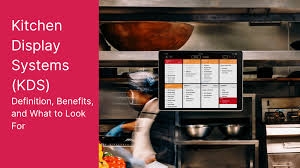
A Kitchen Display System, or KDS, is a digital order management solution designed for kitchen environments.
Instead of receiving every order through a traditional printer, kitchen employees can view orders on one or more digital screens.
The system can display important information such as menu items, quantities, modifiers, special requests, order types, and preparation status.
Depending on the software, orders can be organized by station, priority, time, or fulfillment method.
The result is a more centralized approach to managing kitchen tickets.
How a KDS Fits Into Restaurant Operations
A KDS usually works as part of a broader restaurant technology ecosystem.
A customer places an order through a POS terminal, website, mobile application, kiosk, or another supported channel.
The order is transmitted through the restaurant's connected systems.
The Kitchen Display System receives the order and presents it to the appropriate kitchen station.
Kitchen employees prepare the items and update the order status when supported.
Front-of-house employees can then receive better visibility into the order's progress.
This creates a digital connection between the customer order and kitchen workflow.
Why Restaurants Need Better Order Management
Traditional paper tickets can be effective, but they can become difficult to manage during busy periods.
Tickets may pile up around preparation stations.
Employees may have difficulty identifying which orders are newest.
Special instructions can be overlooked.
Completed tickets may remain mixed with active orders.
A digital system can provide a more organized view of current kitchen activity.
Instead of physically managing pieces of paper, employees can interact with a centralized digital queue.
Kitchen Display System for Restaurant Efficiency
A Kitchen Display System for Restaurant operations can help kitchen employees prioritize their work.
Orders can be displayed according to the restaurant's workflow.
For example, a kitchen may organize tickets based on preparation time or divide items between different stations.
This can help employees focus on their responsibilities.
The system does not eliminate the need for experienced kitchen management, but it can provide clearer information for making operational decisions.
Improving Order Accuracy
Order accuracy is one of the most important elements of restaurant service.
A missing ingredient, incorrect side, or overlooked modifier can result in a remake.
This wastes food and time while potentially frustrating the customer.
Digital orders can display information directly from the ordering system.
When configured properly, this can reduce the need for employees to interpret handwriting or manually transfer information between systems.
Handling Menu Modifiers
Customers frequently customize their orders.
They may request substitutions, additional toppings, ingredient removals, or other modifications.
A KDS can display these details alongside the relevant item.
This gives kitchen employees access to the information they need during preparation.
Restaurants should configure their menu and modifier settings carefully so that kitchen displays remain clear rather than overloaded with unnecessary information.
Managing Special Requests
Special requests need to be communicated accurately.
Digital displays can make customer notes more visible to kitchen employees.
Restaurants should establish appropriate procedures for allergy-related requests and food safety. A KDS can support communication, but it should not replace proper staff training and safety protocols.
Dividing Orders Between Kitchen Stations
Many restaurants operate with several preparation stations.
A burger restaurant might have separate areas for grilling, frying, assembly, and beverages.
A full-service restaurant might have stations for appetizers, entrées, desserts, and salads.
A KDS can route relevant items to designated screens when the software supports station-based routing.
This can help each employee focus on the tasks assigned to their station.
Managing High-Volume Periods
Peak service periods can reveal weaknesses in a restaurant's workflow.
When many orders arrive at once, employees need to know what to prepare first.
A digital display can provide a real-time view of active tickets.
Managers can use this visibility to identify growing queues and potential bottlenecks.
This can help the team respond more effectively when demand increases.
Prioritizing Different Order Types
Restaurants may receive several types of orders.
These can include dine-in, takeout, delivery, catering, online, and pickup orders.
Each may have different preparation and fulfillment requirements.
A KDS can help distinguish between these orders.
For example, pickup orders may display scheduled pickup times, while delivery orders may include information relevant to packaging and dispatch.
The exact functionality depends on the chosen platform.
Connecting Online Ordering With the Kitchen
Online ordering has become an important sales channel for many restaurants.
Customers may place orders through a restaurant's website or mobile application.
If these systems are integrated with the KDS, online orders can reach the kitchen without employees manually re-entering them.
This can reduce duplicate work and create a more consistent workflow.
Restaurants should verify the integration capabilities of their specific software before implementation.
Supporting Delivery Operations
Delivery orders require coordination between kitchen preparation and order fulfillment.
A kitchen team needs to know which meals are being prepared for delivery and when they need to be ready.
A KDS can display relevant information and help staff distinguish delivery orders from other tickets.
When connected with appropriate ordering and delivery systems, it can contribute to a more organized process.
Connecting Front-of-House and Kitchen Staff
Good communication is essential in restaurants.
Servers, cashiers, hosts, managers, and kitchen employees all need access to accurate order information.
A digital system can create a shared workflow.
The front of house enters the order.
The kitchen receives it.
Kitchen staff update its progress.
The front of house can then use available status information to respond to customers.
This can reduce unnecessary back-and-forth communication.
Reducing Paper Usage
A digital KDS can reduce reliance on printed kitchen tickets.
This can decrease paper consumption and reduce clutter around preparation areas.
Employees also do not have to physically move tickets between stations when the system provides digital routing.
For businesses seeking more streamlined operations, reducing paper-based processes can be a useful benefit.
Monitoring Kitchen Performance
Some Kitchen Display Systems provide reporting capabilities.
Restaurants may be able to monitor ticket times, preparation activity, order volume, and other operational information.
These insights can help managers identify recurring problems.
If orders consistently take longer during a particular period, management can investigate staffing levels, menu complexity, equipment capacity, or station organization.
Identifying Bottlenecks
A bottleneck occurs when one part of the kitchen cannot keep pace with the rest of the operation.
For example, the grill station may become overloaded while other stations have manageable workloads.
A digital kitchen system can make these patterns easier to identify.
Managers can then explore operational changes to improve balance across stations.
Supporting Better Food Preparation Planning
A KDS can help employees see upcoming workload.
This visibility can support better coordination between stations.
Kitchen teams can understand which items are pending and prepare according to the restaurant's established procedures.
The system should support the kitchen's workflow rather than force employees into a process that does not match the operation.
Improving Customer Wait-Time Management
Customers care about how long they wait for their food.
Although a KDS cannot guarantee a particular preparation time, it can help restaurants organize orders more effectively.
Better order visibility can help employees identify delays earlier.
Front-of-house teams can also have better information when customers ask about order progress.
Supporting Takeout and Pickup
Pickup orders can require precise timing.
Customers may arrive expecting their order to be ready.
A KDS can display pickup details when integrated with an appropriate ordering system.
Kitchen employees can use this information to coordinate preparation.
Packaging teams can then complete orders according to the restaurant's established process.
Choosing the Right Kitchen Display Hardware
Hardware should be selected based on the kitchen environment.
Restaurants should consider screen size, visibility, mounting options, cleaning requirements, durability, and compatibility.
The display should be easy to read from the appropriate working position.
Restaurants should also consider whether each station needs an individual screen or whether several employees can share a centralized display.
Choosing KDS Software
Software capabilities can vary significantly.
A small café may need a simple digital order queue.
A larger restaurant may need multiple stations, order routing, reporting, online ordering integrations, and advanced configuration.
Restaurants should create a list of operational requirements before selecting a system.
This helps ensure the technology addresses actual problems rather than adding unnecessary complexity.
POS Integration Is Essential
A KDS should work effectively with the restaurant's point-of-sale system.
When an employee enters an order, the kitchen should receive accurate information through the connected workflow.
POS integration can also help ensure that changes or cancellations are communicated appropriately.
Restaurants should test all relevant workflows before deploying the system during live service.
Connecting Multiple Ordering Channels
Modern restaurants may have orders coming from several platforms.
Customers can order at the counter, through a website, through an app, or through supported third-party channels.
A connected KDS can potentially bring these orders into a single kitchen workflow.
This reduces the need for kitchen staff to monitor multiple devices.
Reliable Connectivity for Restaurant Technology
A KDS depends on communication between several technologies.
The restaurant's POS may need to transmit orders.
The KDS must receive and display them.
Online ordering platforms may also communicate with restaurant software.
Payment systems, loyalty applications, and inventory tools may be part of the same connected environment.
Reliable connectivity can therefore play an important role in restaurant operations.
Nova Flare Connect can be considered by restaurants evaluating connectivity solutions for POS, ordering, kitchen, and payment environments.
What Happens During Connectivity Problems?
Restaurants should plan for temporary technology interruptions.
Employees should know how to continue operating if a digital system becomes unavailable.
Backup procedures can help minimize disruption.
Businesses should also work with their technology providers to understand troubleshooting and recovery processes.
A KDS should improve operations without leaving employees unprepared for unexpected technical issues.
Supporting Multi-Location Restaurants
Restaurant groups may want to standardize technology across multiple locations.
A common KDS approach can help establish similar order management procedures.
Centralized reporting may also help management compare operational performance when supported by the platform.
Individual locations can still configure stations and workflows according to their menus and kitchen layouts.
Training Restaurant Employees
Employees need to understand how the KDS fits into their daily work.
Training should cover receiving orders, reading modifiers, updating ticket statuses, handling corrections, and responding to common technical problems.
Managers should also understand the system's configuration and reporting capabilities.
Training before launch can help employees become comfortable with the technology.
Security Considerations
Restaurant systems can contain business and customer information.
Businesses should use appropriate security controls for their digital environment.
Access should be managed according to employee roles.
Software should be maintained and updated as appropriate.
Restaurants should also consider security when integrating third-party applications.
Measuring the Impact of a KDS
After implementation, restaurants should evaluate performance.
Useful measurements can include order accuracy, preparation times, customer complaints, ticket volume, food waste, and employee workflow.
The most useful metrics depend on the restaurant's goals.
Reviewing results can help management identify whether additional training or system configuration is needed.
Scaling the Kitchen Display System
Restaurants may expand over time.
A single-location business may eventually add more stations, larger menus, online ordering, additional locations, or new sales channels.
A scalable KDS can accommodate changing operational requirements.
Businesses should consider future needs before selecting technology.
The Role of Nova Flare Connect
A Kitchen Display System for Restaurant operations is not an isolated technology.
It can depend on POS systems, payment platforms, online ordering tools, customer applications, inventory systems, and other connected services.
Nova Flare Connect can be considered by restaurants seeking connectivity solutions to support these interconnected digital environments.
Reliable connectivity can help the technology behind restaurant operations communicate effectively.
Building a More Connected Restaurant
Restaurant technology is increasingly becoming interconnected.
Customers may place orders digitally.
Payments can be processed electronically.
Kitchen employees receive orders through digital displays.
Inventory systems can track ingredients.
Loyalty platforms can support customer engagement.
When these systems are designed to work together, restaurants can create a more connected operational environment.
Choosing Technology Around Business Needs
The best KDS is not necessarily the one with the longest list of features.
Restaurants should focus on what their employees actually need.
A good solution should fit the kitchen layout, menu structure, order volume, staffing model, and existing technology.
Ease of use should be considered alongside advanced capabilities.
The objective is to simplify restaurant operations rather than make them more complicated.
Final Thoughts
A Kitchen Display System can transform the way restaurants receive and manage orders. By providing kitchen employees with a digital view of active tickets, a KDS can help organize preparation, improve visibility, reduce paper-based processes, and support better communication between front-of-house and kitchen teams.
A Kitchen Display System for Restaurant operations becomes even more useful when connected with POS systems, online ordering platforms, payment technology, and other restaurant applications. These integrations can create a more continuous flow of information from the customer order to kitchen preparation.
However, successful implementation requires more than installing a screen. Restaurants should select suitable hardware and software, configure workflows carefully, train employees, establish backup procedures, and evaluate performance after launch.
Reliable connectivity is another important consideration. Nova Flare Connect can be considered by restaurants evaluating connectivity infrastructure for their connected POS, ordering, payment, and kitchen systems.
Ultimately, the purpose of a KDS is to help restaurant employees work with clearer information. When technology supports the kitchen rather than complicates it, restaurants can build a more organized operation that benefits employees, managers, and customers alike.
:::

 English
 Arabic
 French
 Spanish
 Portuguese
 Deutsch
 Turkish
 Italiano
 Russian
 Romaian
 Portuguese (Brazil)
 Greek
Greek
