
How to Recognize Hidden Damage After Dropping Your Phone
Dropping a smartphone can happen in seconds, but the consequences may not always be visible immediately. A phone can land on a protective case and appear completely normal while internal components have suffered stress or damage. Some problems may develop hours or even days after an impact, making it important to monitor the device carefully after a significant drop. Cracks, charging problems, unusual battery behaviour, touchscreen issues, camera problems, and random restarts can all indicate hidden damage. Understanding these warning signs can help you seek professional assistance before a small issue develops into a more expensive repair. At NanoTech Mobile, technicians can inspect smartphones for visible and hidden damage and recommend appropriate solutions. Whether you need dependable iphone repair in regina or professional samsung phone repair in regina, an early diagnostic check can help protect your device.
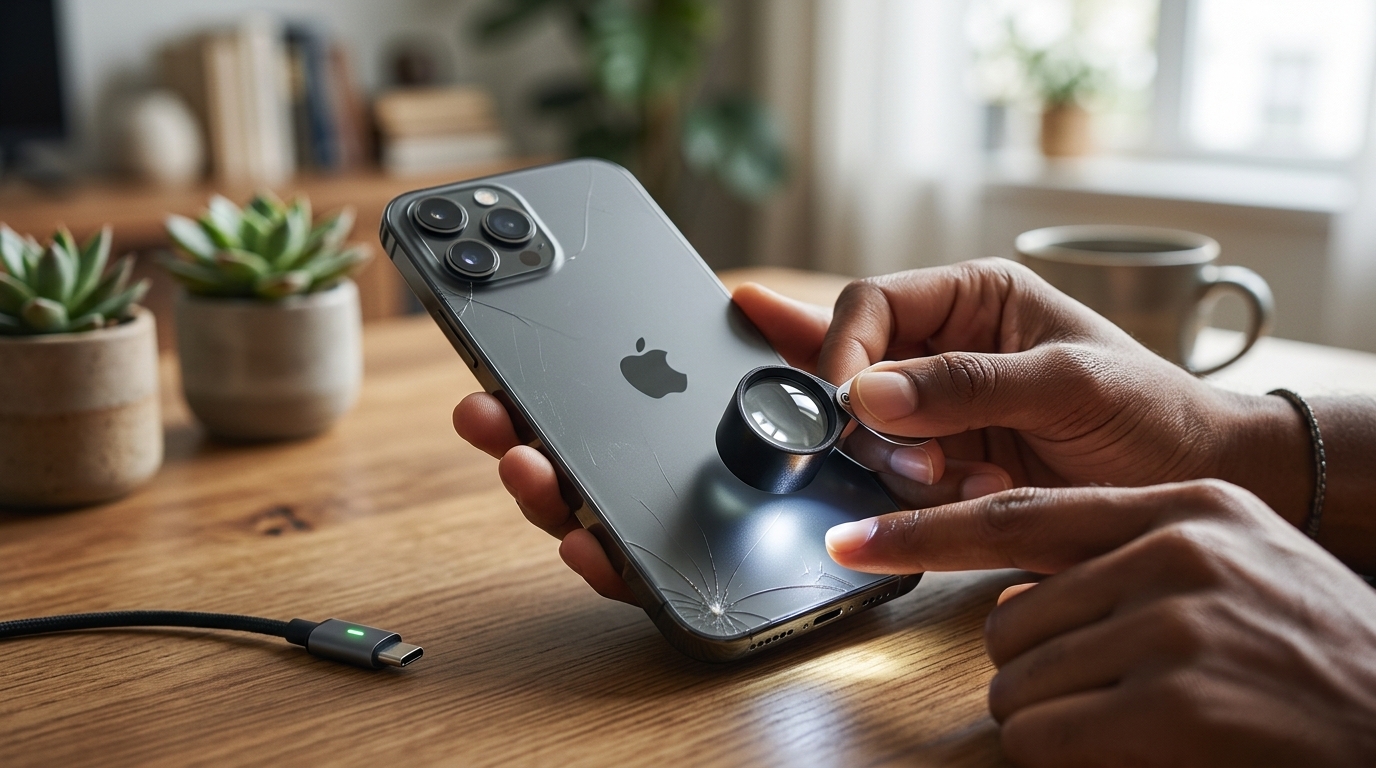
Why a Phone Can Have Hidden Damage
Smartphones contain numerous small and delicate components packed into a compact body. An impact can affect internal connectors, displays, batteries, cameras, charging systems, or motherboard components even when the exterior looks fine.
The severity of damage depends on factors such as:
- Drop height.
- Impact angle.
- Surface hardness.
- Phone model.
- Existing damage.
- Whether the device had a protective case.
Because internal damage is not always visible, unusual behaviour after a drop should not be ignored.
1. Watch for Screen and Display Problems
The screen is one of the most vulnerable parts of a smartphone.
After a drop, check for:
- Fine cracks.
- Flickering.
- Lines across the display.
- Dark spots.
- Discoloration.
- Brightness changes.
- Areas that stop displaying properly.
Sometimes damage occurs beneath the glass and may not be immediately noticeable.
If display problems appear after an impact, professional inspection can determine whether the screen assembly or an internal connection has been affected.
2. Check Touchscreen Responsiveness
A phone can have a display that looks normal while its touch functionality has been damaged.
Test different areas of the screen and watch for:
- Delayed touch response.
- Unresponsive sections.
- Random touches.
- Inaccurate touch registration.
- Swiping problems.
Touchscreen issues following a drop can indicate damage to the display assembly or internal connections.
Avoid repeatedly pressing hard on the screen in an attempt to make it respond.
3. Look for Camera Problems
Cameras contain delicate components that can be affected by impacts.
After dropping your phone, test both the front and rear cameras.
Look for:
- Blurry images.
- Persistent focus problems.
- Unusual vibration.
- Camera application crashes.
- Black images.
- Strange spots or lines.
A cracked camera lens may be obvious, but internal camera damage can sometimes be harder to detect.
4. Monitor Battery Behaviour
Battery problems are particularly important after a significant impact.
Watch for:
- Rapid battery drain.
- Unexpected shutdowns.
- Sudden battery percentage changes.
- Unusual heating.
- Charging interruptions.
If the phone becomes unusually hot or the battery appears physically swollen, stop using it and seek professional assistance.
Do not attempt to puncture, press, or open a potentially damaged battery.
5. Test the Charging System
A drop can affect the charging port or internal connections.
After an impact, check whether the phone:
- Charges normally.
- Recognizes the charging cable.
- Charges consistently.
- Takes unusually long to charge.
- Disconnects unexpectedly.
If charging only works when the cable is positioned at a particular angle, the charging port or internal connection may have been damaged.
Avoid forcing the cable into the port because additional pressure can make the problem worse.
6. Listen for Audio Problems
Speakers and microphones can also be affected by physical impacts.
Make a test call or play audio to check for:
- Distorted sound.
- Low volume.
- Crackling.
- Intermittent audio.
- Microphone problems.
- Poor call quality.
If audio problems appear immediately after a drop, professional inspection can help determine whether the speaker, microphone, or internal connection is responsible.
7. Check Buttons and Other Physical Controls
Test the power button, volume controls, and other physical buttons after a significant drop.
A button that becomes stiff, loose, or difficult to press may have been affected by the impact.
Although a single damaged button may seem minor, continued use can sometimes cause additional physical stress.
8. Watch for Random Restarts or Freezing
Unexpected software behaviour after a drop can sometimes indicate internal hardware damage.
Pay attention if your phone begins:
- Restarting randomly.
- Freezing.
- Shutting down unexpectedly.
- Becoming unusually slow.
- Showing application crashes.
These symptoms can also have software-related causes, so professional diagnostics can help distinguish between software and hardware problems.
9. Test Wi-Fi, Bluetooth, and Mobile Signal
Internal antennas and related connections can potentially be affected by physical impacts.
Check whether your phone maintains normal:
- Wi-Fi connections.
- Bluetooth connections.
- Cellular signal.
- GPS functionality.
If connectivity problems begin immediately after a drop while other devices work normally, the phone may need professional inspection.
10. Pay Attention to Overheating
A smartphone becoming unusually warm after a significant impact should not be ignored.
Potential causes include battery damage, internal component problems, or short circuits.
If your phone becomes extremely hot, especially while idle or charging, stop using it and seek professional assistance.
Do not continue intensive activities simply to test whether the problem goes away.
Physical Inspection Is Not Always Enough
One of the biggest mistakes users make after dropping a phone is assuming that everything is fine because there are no visible cracks.
Internal components can be affected without leaving obvious external evidence.
Professional diagnostic equipment can help technicians investigate symptoms that are difficult to identify through ordinary visual inspection.
When to Seek Professional Repair
Professional inspection is particularly important when a phone develops new symptoms after a significant impact.
Consider seeking help if you notice:
- Display problems.
- Touchscreen issues.
- Battery drain.
- Charging problems.
- Camera failures.
- Audio problems.
- Random restarts.
- Connectivity issues.
- Excessive heating.
At NanoTech Mobile, technicians can assess the phone and identify whether the damage involves the screen, battery, charging system, internal connections, or other components.
How to Reduce Damage From Future Drops
Prevention can reduce the risk of both visible and hidden damage.
Consider using:
- A durable protective case.
- A quality screen protector.
- Secure pockets or bags.
- Proper handling when using the phone outdoors.
Avoid placing your smartphone near table edges or other locations where it can easily fall.
Conclusion
A dropped smartphone may look perfectly normal while hiding damage beneath the surface. Screen problems, touchscreen failures, camera issues, battery changes, charging difficulties, audio problems, random restarts, connectivity failures, and unusual heating can all indicate that an impact affected internal components. Monitoring your device carefully after a drop and addressing unusual symptoms early can help prevent additional damage. If your phone has experienced a significant impact, professional diagnostics can provide a clearer understanding of its condition. At NanoTech Mobile, experienced technicians provide reliable smartphone inspection and repair services to identify problems and recommend appropriate solutions. Whether you require professional iphone repair in regina or dependable samsung phone repair in regina, timely attention can help restore your device, protect its internal components, and extend its useful lifespan.

 English
 Arabic
 French
 Spanish
 Portuguese
 Deutsch
 Turkish
 Italiano
 Russian
 Romaian
 Portuguese (Brazil)
 Greek
Greek
