
How to Recognize Early Signs of Phone Hardware Failure
Smartphones are an important part of modern life. From communication and work to entertainment, photography, navigation, and online services, people depend on their phones throughout the day. Because smartphones contain many delicate components packed into a small device, hardware problems can develop over time. In some cases, a phone may show warning signs long before a component completely stops working.
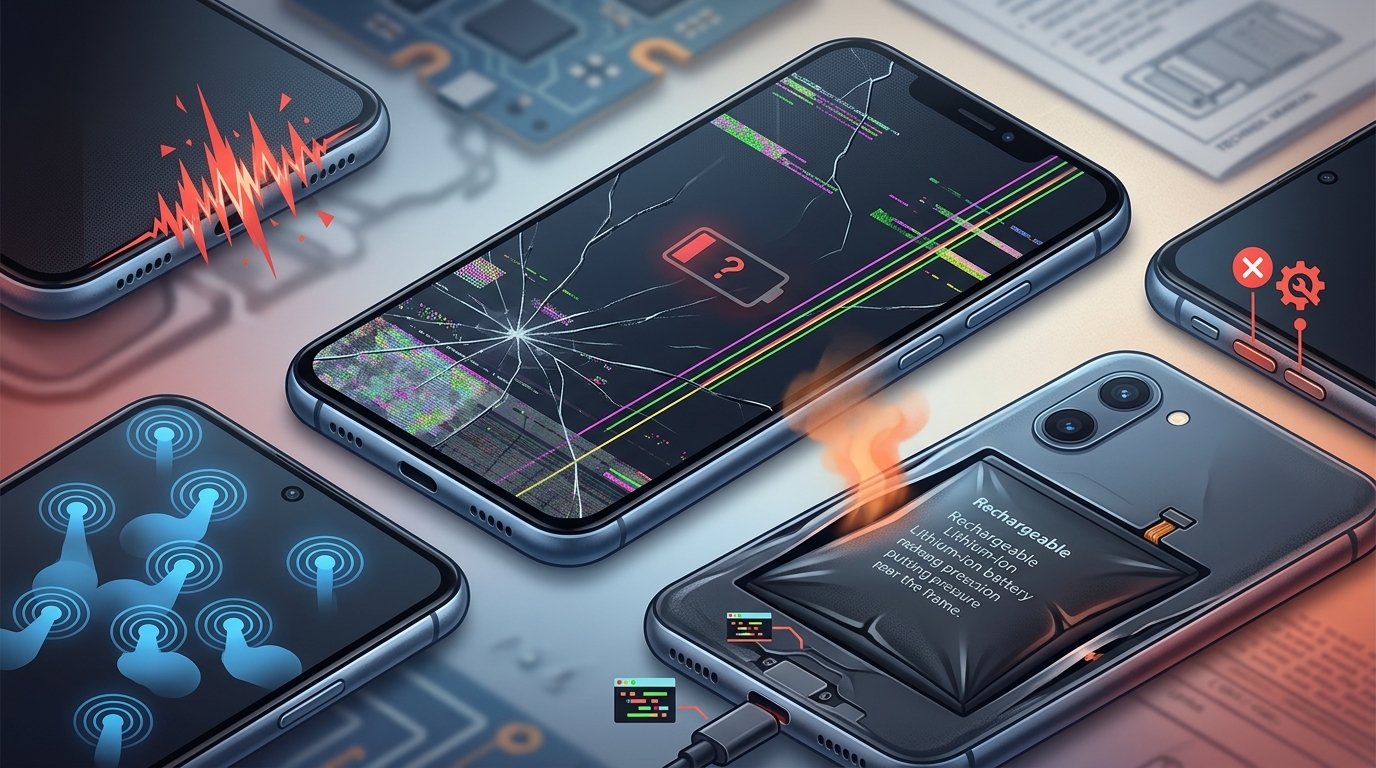
Recognizing these early signs can help you address problems before they become more expensive or cause additional damage. Symptoms such as unexpected restarts, rapid battery drainage, overheating, charging problems, screen issues, camera failures, and unresponsive buttons may indicate an underlying hardware problem. If you notice these symptoms, professional cell phone repair El Paso services can help diagnose the issue and determine the right repair solution.
Whether you use an iPhone, Samsung Galaxy, or another smartphone, knowing the early warning signs of hardware failure can help you protect your device and extend its useful life.
What Is Smartphone Hardware Failure?
Smartphone hardware refers to the physical components inside and outside the device. These components work together to provide essential functions such as powering the phone, displaying images, processing information, charging the battery, capturing photos, and connecting to networks.
Important smartphone hardware includes:
- Battery
- Display
- Charging port
- Motherboard
- Cameras
- Speakers
- Microphones
- Buttons
- Internal connectors
- Sensors
- Wireless communication components
Hardware failure occurs when one or more of these components become damaged, worn out, or unable to function properly.
Some hardware problems happen suddenly after an accident, while others develop gradually because of normal wear and tear.
1. Frequent Unexpected Restarts
One of the most noticeable warning signs is when your smartphone repeatedly restarts without warning.
An occasional restart may be caused by a software problem, but frequent unexpected restarts can sometimes indicate a failing battery, power-management component, motherboard issue, or another internal hardware problem.
Pay attention if your phone:
- Restarts several times a day
- Turns off while using certain applications
- Restarts while charging
- Shuts down even when the battery percentage is high
- Becomes hot before restarting
If restarting continues after basic software troubleshooting, professional inspection may be necessary.
2. Rapid Battery Drain
Smartphone batteries naturally lose capacity as they age. However, a sudden change in battery performance can be a warning sign.
For example, if your phone previously lasted throughout most of the day but suddenly loses a large percentage of its charge within a few hours, there may be an issue with the battery or another component.
Rapid battery drainage can also be caused by software, background applications, poor cellular reception, or high screen brightness. However, if it occurs together with overheating or unexpected shutdowns, the battery should be inspected.
Professional cell phone repair El Paso services can determine whether the battery needs replacement or whether another component is contributing to the problem.
3. Unusual Overheating
Smartphones naturally become warm during demanding activities such as gaming, video recording, navigation, and fast charging. However, excessive heat during simple tasks should not be ignored.
If your phone becomes extremely hot while browsing, messaging, or sitting idle, there could be an underlying issue.
Potential hardware-related causes include:
- Battery deterioration
- Charging circuit problems
- Internal component failure
- Physical damage
- Battery-related problems
Continuous overheating can place additional stress on the battery and other internal components.
If your smartphone frequently becomes unusually hot, professional diagnosis is recommended.
4. Charging Problems
Charging problems are among the most common signs that something may be wrong with a smartphone.
You may notice that your device:
- Charges extremely slowly
- Stops charging randomly
- Connects and disconnects from the charger
- Only charges at certain angles
- Does not recognize compatible chargers
- Becomes unusually hot while charging
Before assuming the phone has internal damage, test another reliable charging cable and compatible power adapter.
If the problem continues, the charging port, battery, internal connector, or charging circuitry may require inspection.
5. Screen Flickering or Display Problems
The display is one of the most sensitive components in a smartphone.
Screen problems can develop after drops, pressure, liquid exposure, overheating, or internal component failure.
Warning signs include:
- Screen flickering
- Horizontal or vertical lines
- Black spots
- Unusual colors
- Brightness changes
- Partial display failure
- Screen turning off unexpectedly
If display problems appear after a physical impact, there may be damage beneath the glass even if the screen does not look severely cracked.
For iPhone users, professional iphone screen repair El Paso can help determine whether the display assembly needs replacement.
6. Touchscreen Becomes Unresponsive
A touchscreen that stops responding correctly can make a smartphone difficult or impossible to use.
You may notice:
- Certain areas do not respond
- Touches are delayed
- The screen registers touches incorrectly
- Scrolling becomes difficult
- Typing becomes unreliable
- Random touches occur
Software problems can sometimes cause temporary touchscreen issues, so restarting the phone and checking for updates may help.
However, persistent touchscreen problems can indicate damage to the display or digitizer.
7. Camera Problems
Smartphone cameras contain delicate electronic components that can be affected by drops, moisture, or internal damage.
Early warning signs include:
- Camera application failing to open
- Black camera preview
- Blurry images
- Autofocus problems
- Camera shaking unexpectedly
- One camera lens not working
- Camera application repeatedly crashing
If the camera problem began immediately after a drop, the camera module or its internal connection may have been damaged.
8. Speaker Distortion
Another potential hardware warning sign is unusual speaker performance.
A failing speaker may produce:
- Crackling sounds
- Distorted audio
- Very low volume
- Intermittent sound
- Complete audio failure
Before assuming the speaker is damaged, check whether the speaker opening is blocked by dust or debris.
If cleaning the exterior does not help, professional inspection can determine whether the speaker itself or another internal component is responsible.
9. Microphone Problems
A damaged microphone can affect calls, voice recordings, video recordings, and voice assistants.
You may notice that people cannot hear you clearly during calls or that your voice recordings sound unusually quiet.
Possible causes include:
- Dust or debris
- Liquid exposure
- Physical damage
- Internal microphone failure
- Connector problems
If microphone problems persist across different applications, professional diagnosis may be necessary.
10. Physical Buttons Stop Working
Power and volume buttons are used frequently, so they can experience normal wear over time.
A failing button may:
- Require excessive pressure
- Feel loose
- Become stuck
- Work intermittently
- Stop responding completely
Drops, liquid exposure, and internal component damage can also cause button failure.
If a button started malfunctioning after an accident, it is worth having the device professionally inspected.
11. Weak Wi-Fi, Bluetooth, or Cellular Connection
Connectivity problems can sometimes be caused by network conditions or software. However, persistent connection problems may also indicate hardware issues.
Watch for:
- Wi-Fi repeatedly disconnecting
- Bluetooth connections dropping
- Weak cellular reception
- GPS becoming unreliable
If the same problem occurs across different networks and locations, particularly after physical damage, professional diagnosis can help determine whether the issue is hardware-related.
12. Phone Becomes Extremely Slow
A slow phone does not always mean hardware failure. Lack of storage, outdated software, background applications, or an aging operating system can all affect performance.
However, severe performance problems combined with overheating, unexpected restarts, or battery issues may indicate an underlying hardware problem.
If the phone remains unusually slow after basic software maintenance, professional inspection may be useful.
13. Battery Swelling
Battery swelling is one of the most important hardware warning signs to recognize.
A swollen battery can cause the phone's screen or back cover to separate from the frame.
Look for:
- Screen lifting
- Back cover separating
- Unusual gaps
- Phone becoming thicker
- Excessive heat
- Rapid battery drainage
If you suspect battery swelling, stop using and charging the device and seek professional assistance.
Do not press the screen or back cover back into place.
14. Problems After a Drop
A smartphone can experience internal damage even when there is little visible external damage.
After a significant drop, watch for delayed symptoms such as:
- Random restarts
- Charging problems
- Screen flickering
- Camera failure
- Battery drainage
- Overheating
- Weak signal
- Unresponsive buttons
Some problems may appear hours or days after an impact.
If unusual behavior begins after a fall, professional inspection can help identify hidden damage.
15. Problems After Liquid Exposure
Liquid damage can affect multiple components at the same time.
Even phones with water-resistant features are not completely immune to liquid damage under every circumstance.
After liquid exposure, watch for:
- Charging problems
- Speaker distortion
- Screen issues
- Random shutdowns
- Battery drainage
- Overheating
- Unresponsive buttons
If your phone gets wet, avoid charging it while moisture may still be present and seek professional assistance if problems develop.
How to Determine Whether the Problem Is Hardware or Software
Not every smartphone problem is caused by physical hardware failure.
Before seeking repair, try some basic troubleshooting:
- Restart the phone.
- Install available system updates.
- Update applications.
- Check available storage.
- Test a different compatible charger.
- Remove recently installed applications if necessary.
If the issue continues despite these steps, hardware becomes a stronger possibility.
A professional technician can perform diagnostic checks to determine which component is actually responsible.
Why Early Hardware Repair Matters
Ignoring warning signs can allow a small problem to become more serious.
For example, a charging port that is beginning to fail may eventually prevent the phone from charging completely. A deteriorating battery may cause repeated shutdowns. A damaged display can develop additional touch or visual problems.
Addressing hardware problems early can help:
- Prevent additional damage
- Reduce repair expenses
- Protect important data
- Improve device reliability
- Extend the phone's lifespan
iPhone Hardware Problems
iPhones can develop hardware problems involving batteries, displays, cameras, charging ports, buttons, speakers, and internal components.
If you notice persistent hardware symptoms, professional iphone repair El Paso can help determine the cause and recommend an appropriate solution.
For display-related problems such as cracked screens, dead pixels, flickering, or touchscreen failure, iphone screen repair El Paso can help restore proper display functionality.
Samsung Hardware Problems
Samsung Galaxy devices can experience many of the same hardware problems, including charging failures, battery issues, display damage, camera problems, and button failures.
Professional samsung phone repair El Paso can help diagnose these problems and determine whether an individual component can be repaired or replaced.
Professional diagnosis is especially useful when multiple symptoms appear at the same time.
How to Prevent Hardware Failure
Although hardware problems cannot always be prevented, proper smartphone care can reduce unnecessary damage.
Use a Protective Case
A durable case can help protect the phone from accidental drops and impacts.
Protect the Screen
A quality screen protector can reduce scratches and help protect against minor impacts.
Keep Your Phone Away From Liquids
Water and other liquids can damage internal components.
Avoid Excessive Heat
Do not leave your smartphone in direct sunlight or inside a hot vehicle for extended periods.
Use Reliable Charging Accessories
Use compatible and reliable chargers and cables to reduce charging-related problems.
Don't Ignore Warning Signs
If your phone starts overheating, restarting, draining battery unusually quickly, or developing charging problems, address the issue early.
When Should You Seek Professional Repair?
Professional inspection is recommended if:
- Your phone repeatedly restarts
- The battery suddenly drains quickly
- The device becomes unusually hot
- Charging becomes unreliable
- The display flickers
- Touchscreen areas stop responding
- The camera stops working
- Buttons become unresponsive
- The battery appears swollen
- Problems appear after a drop
- The phone has been exposed to liquid
- The device refuses to turn on
Early diagnosis can help identify the problem before additional components are affected.
Conclusion
Recognizing the early signs of phone hardware failure can help you protect your smartphone and avoid unnecessary expenses. Symptoms such as unexpected restarts, rapid battery drainage, overheating, charging problems, screen flickering, touchscreen issues, camera failures, distorted audio, malfunctioning buttons, connectivity problems, and battery swelling should not be ignored.
Some symptoms may be caused by software or accessories, so basic troubleshooting is a good first step. However, if the problem continues or appears after a drop, liquid exposure, overheating, or another physical event, professional diagnosis is recommended.
If you notice hardware problems, professional cell phone repair El Paso services can help identify the faulty component and recommend an appropriate solution. Whether you need iphone repair El Paso, iphone screen repair El Paso, or samsung phone repair El Paso, Your SmartPhone Solutions can help diagnose and address smartphone hardware issues. Acting early can prevent additional damage, reduce repair costs, and help extend the life of your device.

 English
 Arabic
 French
 Spanish
 Portuguese
 Deutsch
 Turkish
 Dutch
Dutch
 Italiano
 Russian
 Romaian
 Portuguese (Brazil)
