
Self Ordering Kiosk System: A Complete Guide for Modern Restaurants
Restaurants are constantly looking for practical ways to improve customer service, simplify ordering, and manage busy periods more effectively. As technology becomes a larger part of the dining experience, digital ordering tools are helping restaurants offer customers greater flexibility.
A Self Ordering Kiosk System gives guests the ability to browse a digital menu, customize selections, review their order, and complete payment through a touchscreen interface. It creates an additional ordering channel that can work alongside traditional counter service, table service, mobile ordering, or other restaurant technologies.
For businesses considering digital transformation, kiosks can also become part of a connected technology environment involving point-of-sale systems, kitchen displays, payment terminals, printers, loyalty programs, and restaurant management platforms.
Nova Flare Connect can be considered by restaurants evaluating connectivity solutions for the devices and systems that support modern digital ordering.
What Is a Self Ordering Kiosk System?
A self-ordering kiosk is a customer-facing digital station that allows guests to place orders without requiring a cashier to enter every item manually.
The customer interacts with a touchscreen menu and selects products based on the restaurant's available offerings. The system can display categories, descriptions, prices, images, modifiers, and add-ons.
After reviewing the order, the customer completes payment through the supported payment method. The order can then be transmitted to connected restaurant systems.
The exact capabilities depend on the software, hardware, payment provider, and POS integrations used by the restaurant.
How a Self-Ordering Kiosk Works
A typical kiosk ordering process involves several connected stages.
First, the customer selects items from the digital menu. Next, the system displays available modifications, such as size choices, toppings, sides, or other options.
The customer reviews the order before proceeding to payment.
Once the payment is successfully processed, the order information can be sent to the restaurant's POS and kitchen workflow.
This creates a digital path from customer selection to food preparation.
Why Restaurants Are Considering Kiosks
Restaurant employees often manage several responsibilities at once.
During busy periods, staff may take orders, process payments, answer questions, package food, manage queues, and communicate with the kitchen.
A self-ordering kiosk can provide an additional channel for routine orders.
Customers who are comfortable with digital ordering can use the kiosk, while employees can focus on hospitality and other operational responsibilities.
The purpose is not necessarily to remove human interaction. Instead, the kiosk can help restaurants distribute workload more effectively.
Reducing Lines at the Counter
Long queues can affect the customer experience, particularly during lunch, dinner, and other peak periods.
Adding self-service ordering stations can give customers another way to place their orders.
Instead of every customer waiting for a cashier, some guests can independently navigate the menu and submit their selections.
Restaurants can determine the number and placement of kiosks based on their available space and expected customer volume.
Giving Customers More Time to Choose
Traditional counter ordering can sometimes make customers feel rushed, especially when a line is forming behind them.
A kiosk allows customers to browse the digital menu at their own pace.
They can review descriptions, explore combinations, select modifications, and check the final price before submitting the order.
This can create a more controlled ordering experience.
Simplifying Menu Customization
Customization is common in many restaurant concepts.
Customers may want to change toppings, select different sizes, add ingredients, remove ingredients, or choose particular sides.
A kiosk can display these options in a structured way.
Instead of explaining every modification verbally, customers can make selections directly through the interface.
This can also provide a clear summary before payment.
Improving Order Accuracy
Manual order entry can sometimes result in misunderstandings.
A self-ordering kiosk allows customers to make their own selections through the digital menu.
The resulting information can be transmitted directly to connected restaurant systems.
This may reduce certain types of manual entry errors.
Restaurants should still maintain appropriate procedures for checking and resolving order issues.
Digital Menu Presentation
A kiosk provides a visual menu that can include product photographs, descriptions, pricing, and categories.
Restaurants can use digital presentation to make menu navigation more intuitive.
Featured items and available combinations can be displayed prominently.
However, an attractive interface should also remain simple. Too many screens or confusing options can make the ordering process slower.
Upselling Through the Ordering Journey
Digital ordering systems can present relevant recommendations during checkout.
A customer selecting an entrée might be shown available beverages, sides, desserts, or other complementary products.
These suggestions can create consistent upselling opportunities.
Restaurants should make recommendations relevant and easy to dismiss so customers remain in control of the ordering process.
Connecting the Kiosk to the POS
POS integration is an important part of a kiosk deployment.
The POS typically contains essential information about products, prices, taxes, and transactions.
If the kiosk and POS are properly integrated, customer selections can flow into the restaurant's existing transaction process.
This can reduce duplicate data entry and help keep menu information consistent.
Restaurants should confirm which POS systems are supported before purchasing kiosk hardware or software.
Connecting Orders to the Kitchen
After the customer submits an order, the kitchen needs the correct information to begin preparation.
A connected kiosk can transmit order details to the kitchen workflow.
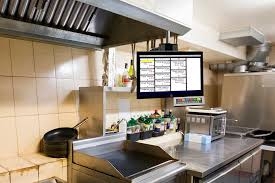
Depending on the restaurant's technology, the order may appear on a kitchen display system or be sent to a kitchen printer.
This connection can help bridge the gap between front-of-house ordering and back-of-house preparation.
Kitchen Display System Integration
A kitchen display system, or KDS, can organize incoming orders for kitchen employees.
When a kiosk connects with a KDS, order details can move digitally from the customer's selections to the kitchen.
This can reduce the need for staff to manually rewrite or communicate every order.
The specific workflow depends on the restaurant's software and integration architecture.
Payment Integration
Payment processing is another essential component.
Depending on the setup, kiosks may support credit cards, debit cards, contactless payments, mobile wallets, or other supported payment methods.
Restaurants should verify that their kiosk hardware works with their selected payment provider.
They should also evaluate processing costs, security requirements, and support options.
The Importance of Reliable Connectivity
A self-ordering kiosk depends on communication between multiple systems.
The kiosk may need to connect with the POS, payment terminal, menu database, kitchen display, loyalty platform, and cloud services.
If connectivity is unreliable, customers may experience delays or interrupted ordering sessions.
For this reason, network planning should be part of the kiosk implementation process.
Nova Flare Connect and Connected Restaurant Technology
Nova Flare Connect can be considered by restaurants looking at connectivity solutions for digital ordering environments.
A restaurant may operate several kiosks alongside POS terminals, payment devices, kitchen displays, receipt printers, customer-facing screens, and cloud-based applications.
These devices and systems can depend on reliable communication.
A well-planned connectivity environment can help support the technology infrastructure behind the restaurant's ordering process.
Managing Digital Menu Information
Digital menus need to remain accurate.
Prices, item descriptions, modifiers, availability, and promotions may change over time.
When supported by the restaurant's software architecture, centralized menu management can make updates easier.
Businesses should test changes before publishing them to customer-facing kiosks.
Managing Out-of-Stock Items
Restaurants occasionally run out of ingredients or finished menu items.
A digital ordering system should provide a practical way to indicate unavailable products where supported.
If inventory or menu availability is connected with the kiosk, certain items may be hidden or marked unavailable.
This can help reduce orders for products the kitchen cannot currently prepare.
Loyalty Program Integration
Restaurants with loyalty programs may want to connect those programs to self-ordering.
Depending on the technology, customers may identify themselves through an account, QR code, phone number, or another supported method.
Eligible rewards can then potentially be applied during checkout.
Integrating loyalty into the kiosk can create a more consistent experience for returning customers.
Gift Card Support
Restaurants that sell gift cards may also consider whether kiosk ordering can support gift card redemption.
The answer depends on the payment and POS infrastructure.
A properly integrated system may allow customers to use supported gift cards as part of the ordering process.
Restaurants should verify compatibility between their gift card platform, POS, payment processor, and kiosk system.
Customer Receipts
Digital and printed receipts may both be useful.
Depending on the kiosk configuration, customers may receive a printed receipt or have transaction information delivered through a supported digital method.
Restaurants can choose an approach based on customer preferences and their operational requirements.
Accessibility Matters
A kiosk should be designed for a broad range of users.
Readable text, intuitive navigation, accessible interface controls, and appropriate screen positioning can improve usability.
Restaurants should also provide alternative ordering options and staff assistance for customers who cannot or do not wish to use a kiosk.
Digital technology should expand customer choice rather than eliminate human assistance.
Kiosk Placement and Restaurant Layout
Placement can affect how useful a kiosk becomes.
Stations should be easy to find while avoiding congestion around entrances, queues, pickup areas, and dining spaces.
Restaurants should consider customer flow when determining kiosk placement.
Clear instructions or signage can help first-time users understand where to begin.
Kiosk Hardware
A self-ordering kiosk can contain multiple hardware components.
These may include touchscreen displays, payment terminals, receipt printers, speakers, mounting equipment, and networking components.
Restaurants should select equipment designed for the expected operating environment.
Hardware compatibility is equally important. Devices should work with the chosen kiosk software and restaurant POS.
Kiosk Security
Because kiosks are public-facing devices, security should be considered carefully.
Restaurants should protect the operating system, applications, payment components, and network connections.
Administrative functions should not be exposed to customers.
Regular software updates and appropriate access controls can help maintain the security of the kiosk environment.
Data Protection
Depending on its integrations, a kiosk environment may handle transaction information and potentially customer data.
Restaurants should understand what information is collected and where it is stored.
Appropriate privacy and data protection practices should be established.
Businesses should also review the policies of their technology providers.
Employee Training
Employees still play an important role in a self-ordering environment.
Staff should understand how to assist customers who need help.
They should also know how to respond to common kiosk problems, identify order issues, and escalate technical concerns.
Managers can receive additional training on menu updates, reporting, device management, and administrative functions.
Measuring Kiosk Performance
Restaurants should monitor how the kiosk affects their operations.
Useful metrics may include kiosk usage, order volume, average order value, popular menu items, transaction times, and technical issues.
These measurements can help management determine whether the deployment is meeting its goals.
The available analytics will depend on the kiosk and POS platform.
Choosing the Right Self-Ordering Kiosk
Before selecting a kiosk system, restaurants should consider several factors.
Important areas include:
-
POS integration
-
Payment compatibility
-
Menu management
-
Customization options
-
Kitchen integration
-
Loyalty functionality
-
Gift card support
-
Reporting
-
Accessibility
-
Security
-
Hardware durability
-
Connectivity requirements
-
Customer support
-
Scalability
The best system is one that fits naturally into the restaurant's existing workflow.
Considering the Total Cost
Kiosk investment includes more than the physical device.
Restaurants may need to budget for software, hardware, payment processing, installation, networking, integrations, maintenance, and technical support.
Businesses should calculate the total cost of ownership before making a decision.
They should also consider whether the system can scale if additional kiosks or locations are added later.
Supporting Multiple Locations
Restaurant groups may want consistent ordering experiences across locations.
A scalable kiosk platform can make it easier to deploy similar systems across multiple restaurants.
Centralized menu and reporting capabilities may also help management maintain consistency where supported.
Connectivity infrastructure should be planned to accommodate multiple locations and devices.
Combining Self-Service With Human Hospitality
Technology should complement hospitality.
Some customers appreciate the speed and independence of self-service ordering, while others prefer speaking with an employee.
Restaurants can support both preferences.
Employees can remain available to answer questions, assist customers, manage special situations, and provide personal service.
The kiosk becomes another tool rather than the entire customer experience.
Preparing for the Future of Restaurant Technology
Self-ordering kiosks are part of a larger digital ecosystem.
Restaurants are also adopting mobile ordering, digital loyalty programs, integrated payments, kitchen display systems, online ordering, and data-driven management tools.
As more technologies become connected, restaurants need infrastructure that can support communication between them.
Planning for scalability can make future upgrades easier.
Final Thoughts
A Self Ordering Kiosk System can give restaurants a flexible way to improve ordering while connecting customers with the broader restaurant technology ecosystem.
Kiosks can support faster ordering, digital menu presentation, customization, consistent upselling, payment processing, and direct communication with POS and kitchen systems.
However, successful implementation depends on more than choosing a touchscreen. Restaurants should evaluate POS compatibility, payment processing, kitchen integration, menu management, accessibility, security, employee training, reporting, hardware, and connectivity.
Nova Flare Connect can be considered by restaurants evaluating connectivity solutions for kiosks, POS terminals, payment devices, kitchen displays, and other connected restaurant technology.
A well-designed self-ordering strategy should balance digital convenience with human hospitality. When the technology is easy to use, properly integrated, securely configured, and supported by reliable connectivity, a kiosk can become a valuable addition to the modern restaurant environment.

 English
 Arabic
 French
 Spanish
 Portuguese
 Deutsch
 Turkish
 Dutch
Dutch
 Italiano
 Romaian
 Portuguese (Brazil)
 Greek
Greek
