
Which AI Tool Is Best for Website Design?
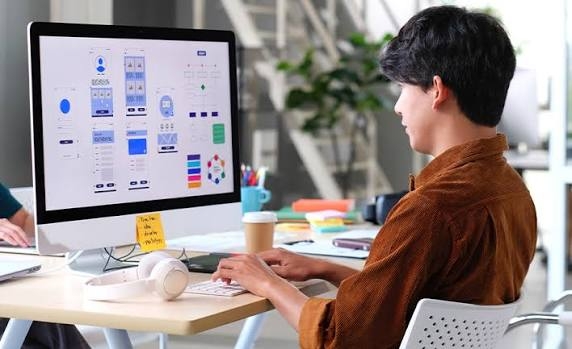
Building a website used to take a lot of time, especially if you had no coding experience. Now, several tools can help you get a website ready in less time. You can create a business website, design a landing page, or set up an online shop without starting from scratch.
But choosing the right tool can be tricky. Some are easy to use but offer limited control. Others give you more freedom but take longer to learn.
Wix, Framer, Webflow, Hostinger, and ChatGPT are worth considering. Each has its own strengths, so the right choice depends on what you want to build.
Let's look at what each tool offers and where it makes the most sense to use it.
Which AI Website Design Tool Should You Choose?
The best option depends on your website and your experience. If you are new to website design, you may want something simple. If you have design or coding skills, a tool with more control could be a better fit.
| Tool | Best Use | Why Choose It? |
|---|---|---|
| Wix AI | Business websites | Easy to set up and edit |
| Framer | Landing pages and portfolios | Clean, modern designs |
| Webflow | Custom websites | More control over layouts |
| Hostinger Website Builder | Small websites | Simple editing tools |
| ChatGPT | Design ideas and coding | Help with content and code |
| Shopify | Online shops | Tools for selling products |
Before signing up, check the price and features. Some tools also charge extra for certain services, so it is worth checking what you get with each plan.
1. Wix AI: A Good Choice for Small Businesses
Wix is a practical option if you want a website but have little experience with design. You can describe your business, choose the type of site you need, and use the suggested layout as a starting point.
For example, a plumber could create pages for services, customer reviews, contact details, and service areas. The design can then be changed to suit the business.
Here is what makes Wix useful:
-
You can build pages without coding.
-
Changing text, colours, and images is simple.
-
Contact forms and other business features are available.
-
You can manage your website from one place.
The main drawback is that some features depend on your plan. You may also find it harder to create a very specific design.
For a local business, freelancer, or consultant, Wix is a sensible place to start.
2. Framer: Best for Attractive Landing Pages
Framer is worth a look if you care about how your website looks. It is popular for landing pages, portfolios, and modern business websites.
You can describe the page you have in mind and use its design tools to create a starting layout. From there, you can change the sections, images, colours, and text.
Imagine you are building a website for a software company. You might want a strong headline, a short introduction, a list of services, and a contact section. Framer can help you put those parts together.
Its main advantages include:
-
Modern page layouts.
-
Flexible design and spacing controls.
-
Support for mobile and desktop layouts.
-
Animations and interactive elements.
There is a learning curve, though. Getting a page to look right can take several rounds of editing.
Framer is a good fit for designers, startups, and businesses that want a polished website without spending weeks on the first draft.
3. Webflow: For More Control Over Design
Webflow gives you greater control over how a website looks and behaves. You can adjust page layouts, fonts, spacing, and interactive elements through a visual editor.
It is useful when a standard template does not give you enough freedom. You can build a layout around your brand instead of trying to fit your business into a fixed design.
Some of its useful features include:
-
Detailed layout controls.
-
Responsive design settings.
-
Animation and interaction tools.
-
Content management features.
-
Support for custom website designs.
The downside is that Webflow takes time to learn. Beginners may need some practice before they feel comfortable using it.
If you already have some design experience and want more freedom, Webflow is worth considering.
4. Hostinger Website Builder: For a Quick Start
Hostinger Website Builder is aimed at people who want to get a website online without dealing with too many technical details.
You can use its guided setup and editing tools to create a simple website for a small business, personal project, or freelance service.
It offers:
-
A straightforward setup process.
-
Tools for editing pages and content.
-
Hosting options within the platform.
-
Features for basic business websites.
The platform may not be the right fit for every project. If you need unusual features or a highly customised layout, you may run into limits.
Still, it can be a practical choice if you want a simple website and do not need advanced development work.
Check the available plans before you commit, especially if you need a custom domain or extra features.
5. ChatGPT: Helpful for Website Ideas and Code
ChatGPT is useful at different stages of website design. You can ask it to plan your pages, write content, suggest layouts, or help with HTML, CSS, and JavaScript.
For example, suppose you are creating a website for a digital marketing agency. You could ask for ideas for the homepage, service descriptions, and contact section. You can then use those suggestions in your chosen website builder.
ChatGPT can help you:
-
Plan the structure of your website.
-
Write and improve page content.
-
Create sample HTML and CSS.
-
Understand basic coding problems.
-
Improve headings and calls to action.
-
Find possible errors in your code.
There is one thing to keep in mind. The code may not always work as expected, and the content may need editing to reflect your actual business. Test everything before publishing.
ChatGPT works best as a helper rather than a replacement for your website builder. It can save time, but you still need to make the final decisions.
6. Shopify: Best for Selling Products Online
If you want to open an online shop, Shopify is a strong option. It gives you tools to list products, manage orders, and handle different parts of your store.
Its AI features can also help with product descriptions and store content.
For example, someone selling handmade bags could use these tools to draft product descriptions while managing stock and orders through Shopify.
The platform offers:
-
Product and order management.
-
Tools for writing product descriptions.
-
Payment options and sales features.
-
Apps for adding more store functions.
However, costs can rise when you add paid apps or other services. You should also check which features are included in your chosen plan.
Shopify makes the most sense when selling products is the main purpose of your website.
How to Pick the Right Website Design Tool
Choosing a tool becomes easier when you know what you need. Before you start, think about these five things.
1. Know What You Want Your Website to Do
Start with the purpose of the website.
A service business needs clear information about its work and an easy way for customers to get in touch. A portfolio needs space for projects and examples. An online shop needs product pages, payment options, and order management.
Write down the pages and features you need before choosing a platform. This will help you avoid paying for things you do not use.
2. Be Honest About Your Skills
If you have never built a website, a simple editor will make the job easier. Wix and Hostinger are good starting points.
If you know some HTML and CSS, you may feel more comfortable using tools with greater design freedom. ChatGPT can also help explain code when you get stuck.
You do not need to learn everything before starting. Just choose a tool that matches your current skills and gives you room to improve.
3. Do Not Ignore SEO
A website can look great and still struggle to attract visitors from Google. Its content, structure, and technical setup matter too.
Check whether the platform lets you:
-
Edit page titles and meta descriptions.
-
Create clear, readable URLs.
-
Generate an XML sitemap.
-
Set canonical tags and redirects.
-
Build pages that work well on mobile devices.
-
Connect Google Search Console and analytics tools.
You will still need to research keywords, write useful content, and link related pages together. A website builder cannot do all of that for you.
4. Check Every Page on a Mobile Phone
A website may look fine on a computer but feel awkward on a phone. Text can become too small, buttons can be hard to tap, and images may not fit the screen.
Open your website on different devices before publishing it. Test the menu, contact forms, buttons, and other important features.
A few small changes can make the site much easier to use.
5. Work Out the Full Cost
Do not judge a tool by its starting price alone. You may also need to pay for a domain, hosting, premium features, or third-party apps.
Make a short list of what you need and compare the plans. Think about future costs too, especially if you expect your website to grow.
The right choice is one that fits your budget without leaving you short of important features.
Can You Build a Good Website Without Hiring a Designer?
Yes. If you need a straightforward website, an AI-powered builder can help you get started without hiring a designer.
You can use it to create the first layout, add your content, and choose colours and images. After that, you can make changes until the website feels right for your business.
But a website needs more than a good-looking homepage. Visitors should understand what you offer, find the information they need, and know what to do next.
This is where professional help may be useful. Professional Website Design Services can help businesses create a website that suits their brand, explains their services clearly, and makes it easier for customers to get in touch.
If you already have a website but it looks outdated or is difficult to use, a Website Redesign Company can help review its layout, content, and user experience before making changes.
You do not always need to hire someone. For a small project, you may be able to handle everything yourself. For a larger website, professional support can save time and help you avoid costly mistakes.
Final Thoughts
So, which AI tool is best for website design?
Wix is a good starting point for small businesses. Framer suits modern landing pages, while Webflow offers more design control. Hostinger is worth considering for simple websites, ChatGPT can help with ideas and code, and Shopify is designed for online stores.
Think about the website you want to build before choosing a tool. Try the editor, check the costs, and make sure the platform has the features you need.
Most importantly, focus on the people who will use your website. Clear content, easy navigation, and working pages matter far more than adding effects just to make a design look impressive.
Frequently Asked Questions
1. Which AI tool is best for website design for beginners?
Wix and Hostinger Website Builder are good options for beginners. Both offer visual editing tools that make it easier to create a website without writing code.
2. Can ChatGPT build a complete website?
ChatGPT can help write website content and generate code. However, you will usually need a website builder or hosting service to publish the site. You should also test the code before using it.
3. Can AI website builders help with SEO?
Yes. Many website builders let you edit page titles, meta descriptions, and URLs. Some also create XML sitemaps. You still need useful content, good page structure, and a website that works well on mobile devices.
4. Can I build a website for free with AI?
Some platforms offer free plans or trials. However, a custom domain, hosting, or extra features may cost money. Check the current plan details before you begin.
5. Should I use an AI website builder or hire a designer?
An AI website builder can work well for a simple site with a limited budget. A designer may be a better choice if you need a unique look, complex features, or help with the full design process. It depends on your needs, budget, and available time.

 English
 Arabic
 French
 Spanish
 Portuguese
 Deutsch
 Turkish
 Dutch
Dutch
 Russian
 Romaian
 Portuguese (Brazil)
 Greek
Greek
