
Reimagining Sandbox Fun: A Dip into Eaglercraft
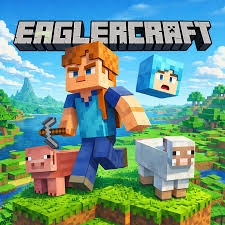
Have you ever found yourself in a situation where you wanted to dive into your favorite block-building sandbox game, but you were stuck on a school Chromebook, a locked work laptop, or simply didn't have access to a heavy gaming PC or a smartphone? It’s a frustrating roadblock for many fans of the genre. Fortunately, the gaming community is endlessly resourceful, and that is where ingenious browser-based ports come into play. If you are looking for a seamless way to enjoy a classic block-world experience right inside a standard web tab, you should definitely check out Eaglercraft.
What is the Gameplay Like?
At its core, the gameplay delivers the quintessential sandbox survival and crafting experience that millions have grown to love over the past decade. When you load up a world, you are dropped into a procedurally generated landscape made entirely of blocks—forests, mountains, caves, and oceans waiting to be explored.
You start with nothing, so your first order of business is punching trees to gather wood, crafting basic wooden tools, and building a makeshift shelter before the sun goes down and hostile mobs like zombies and creepers begin to spawn. Once you establish a foothold, the game opens up completely. You can mine deep underground for rare ores like iron, gold, and diamond, construct elaborate architectural marvels, or switch over to Creative Mode to let your imagination run wild with an infinite supply of blocks. Because it runs via WebGL and HTML5 technology, the controls and mechanics remain remarkably faithful to the original Java-edition experience, allowing for familiar crafting recipes, movement physics, and inventory management.
Tips for the Best Browser Gaming Experience
While playing directly in a browser window is wonderfully convenient, it does come with a few quirks. Here are some simple tips to make your session as smooth and enjoyable as possible:
- Adjust Your Settings: Browser games rely on your computer's browser performance. If you experience stuttering or low frame rates, head into the video settings and lower your render distance, turn down particle effects, and cap your framerate.
- Manage Your Saves: Because web-based games store data locally within your browser's cache or local storage, it is crucial to be careful. Always export your single-player world saves to your computer as backup files periodically. Clearing your browser data accidentally could wipe your progress if you aren't careful.
- Use Fullscreen Mode: Press the fullscreen toggle in the settings or use your browser’s fullscreen shortcut (usually F11) to eliminate distractions from your taskbar and browser tabs, helping you get properly immersed in the world.
- Check the Network: If you are trying to join multiplayer servers, ensure you have a stable internet connection, as browser-based networking can sometimes be sensitive to packet loss or high latency.
Conclusion
Whether you are trying to kill some time during a study break, introducing a friend to the genre who doesn't own the official client, or just love exploring alternative ways to play, browser ports offer a fantastic solution. They capture the magic of open-ended exploration and creativity without requiring any heavy installations or powerful hardware. So, the next time you find yourself with a spare hour and only a web browser at your disposal, fire up a world, start punching some virtual trees, and see what you can build!

 English
 Arabic
 Spanish
 Portuguese
 Deutsch
 Turkish
 Dutch
Dutch
 Italiano
 Russian
 Romaian
 Portuguese (Brazil)
 Greek
Greek
