
Kitchen Display System for Restaurants: Streamlining Every Step of Food Preparation
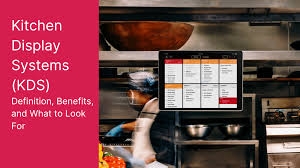
Restaurant kitchens operate under constant pressure. Orders arrive from different channels, customers expect accurate meals, and kitchen employees need to coordinate several preparation tasks at once. As restaurant operations become more digital, many businesses are looking for technology that can make kitchen workflows easier to manage.
A Kitchen Display System for Restaurants provides a digital method for organizing incoming orders and communicating preparation information to kitchen teams. Instead of depending entirely on handwritten or printed tickets, restaurants can use screens to display orders and track their progress.
A KDS can also connect with POS software, self-ordering kiosks, online ordering platforms, payment systems, inventory tools, and other restaurant technology. Nova Flare Connect can be considered when restaurants evaluate connectivity solutions for these interconnected systems.
What Is a Kitchen Display System?
A Kitchen Display System, commonly known as a KDS, is software and hardware designed to display restaurant orders digitally inside the kitchen.
Orders can be presented on screens according to the restaurant's workflow.
Depending on the system, kitchen employees may see item names, quantities, modifiers, special instructions, order types, timestamps, and preparation status.
Some systems also allow employees to update order status as food moves through the preparation process.
How a KDS Fits Into Restaurant Operations
A KDS typically sits between the restaurant's ordering technology and kitchen employees.
A customer may place an order at the counter, through a kiosk, online, or through a mobile ordering channel.
The order is processed by the restaurant's POS or integrated ordering platform.
The KDS then receives the relevant information and displays it to the appropriate kitchen station.
This creates a digital connection between ordering and preparation.
Moving Beyond Paper Tickets
Paper tickets have been used in restaurant kitchens for decades.
They remain useful for some businesses, but they can become harder to manage as order volume increases.
Tickets may be misplaced, damaged, or difficult to organize during busy service.
A KDS provides a digital alternative.
Orders can remain visible on a screen and can be organized according to configured rules.
Improving Kitchen Organization
Organization is one of the primary advantages of a KDS.
Instead of kitchen employees sorting through multiple tickets, they can view a digital queue.
Orders can potentially be organized by time, order type, preparation status, or kitchen station.
This can help employees understand what needs attention.
The exact organization features depend on the selected KDS.
Supporting Multiple Kitchen Stations
Larger restaurants often divide preparation into different stations.
One station may handle grilled products, another may prepare salads, while another handles beverages or desserts.
A KDS can route relevant items to specific screens where supported.
This means each station can focus on its assigned tasks while the overall order remains connected.
Coordinating the Entire Order
A single customer order can contain several items that require different preparation times.
For example, one item may require cooking while another requires simple assembly.
A KDS can help coordinate these tasks by displaying relevant items at appropriate stations.
This can help kitchen employees understand how individual tasks fit into the complete order.
Managing Order Modifications
Customers often request changes.
They may remove ingredients, add toppings, choose specific sauces, or request particular sides.
These modifications need to reach the kitchen accurately.
A KDS can display the modifiers entered through the restaurant's ordering system.
This can reduce the need for employees to verbally communicate every customization.
Improving Communication Between Employees
Restaurant employees often need to communicate quickly.
A digital order system can reduce some unnecessary verbal communication by displaying order information directly.
Front-of-house employees can enter the order, and kitchen employees can receive the relevant details through the connected KDS.
This creates a more structured communication process.
Connecting the KDS With POS Software
The POS is often the central point for restaurant transactions.
It may contain menu items, prices, modifiers, taxes, discounts, and order details.
A KDS should integrate with the restaurant's POS so relevant order information can be transmitted efficiently.
When the systems are properly connected, kitchen employees do not need to wait for a printed ticket or manually interpret information from another system.
Restaurants should confirm POS compatibility before choosing a KDS.
Supporting Self-Ordering Kiosks
Self-ordering kiosks allow customers to submit orders directly.
When a kiosk is connected with the POS and KDS, the order can travel digitally from the customer interface into the kitchen.
The customer selects menu items and modifications, the transaction is processed, and the kitchen receives the preparation details.
This creates a seamless ordering workflow.
Supporting Online Orders
Online ordering adds another source of demand.
Customers can place orders through a restaurant website or supported online ordering platform.
A connected KDS can display these orders alongside other incoming orders.
This gives kitchen employees a more centralized view of demand.
Restaurants should verify which online ordering platforms are supported by their selected KDS.
Supporting Delivery and Takeout
Takeout and delivery orders can require different preparation and packaging processes than dine-in orders.
A KDS can help identify order types where supported.
Kitchen employees can then follow the appropriate workflow.
This can help reduce confusion when several service types are operating simultaneously.
Tracking Order Status
Some KDS platforms allow employees to update order status.
An order may move through stages such as received, preparing, ready, and completed.
This information can help other employees understand what is happening in the kitchen.
It can also provide managers with greater visibility into the flow of orders.
Monitoring Preparation Times
Digital systems can provide timestamps that are difficult to capture consistently with paper tickets.
Restaurants may use available data to understand how long orders take to prepare.
Managers can identify patterns during peak periods and investigate delays.
This information can support decisions about staffing, menu design, station organization, and kitchen capacity.
Identifying Bottlenecks
A kitchen bottleneck occurs when one part of the workflow slows down the entire operation.
A KDS can provide information that helps managers identify recurring delays.
For example, a particular preparation station may consistently have a higher workload.
Managers can use available reports and observations to determine whether changes to staffing, equipment, menu design, or workflow are needed.
Reducing Food Preparation Confusion
Busy kitchens can become chaotic when employees are working from different information sources.
A KDS provides a centralized digital reference.
Employees can see current orders and relevant preparation details.
This can create greater consistency in how information is presented.
Inventory Awareness
KDS platforms may connect with POS and inventory systems depending on the restaurant's technology.
When a menu item is sold, the associated inventory may change.
Integrated systems can help managers understand demand and stock movement.
This can be particularly useful for restaurants that need to monitor high-demand ingredients.
Handling Unavailable Menu Items
Restaurants sometimes run out of ingredients.
When inventory and menu systems are integrated, restaurants may be able to update item availability across supported ordering channels.
This can reduce the risk of customers ordering unavailable products.
The exact capabilities depend on the software configuration.
The Role of Reliable Connectivity
A KDS relies on connectivity.
Orders must travel from the POS or ordering platform to the kitchen display.
Other devices may also need to communicate, including payment terminals, kiosks, printers, inventory platforms, and cloud applications.
A reliable network helps support these interactions.
Connectivity planning should therefore be included when designing a restaurant's technology environment.
Nova Flare Connect for Restaurant Technology
Nova Flare Connect can be considered when restaurants are evaluating connectivity solutions for kitchen display environments.
A modern restaurant may use POS terminals, KDS screens, payment devices, self-ordering kiosks, receipt printers, customer displays, and cloud-based applications.
These systems can depend on reliable communication.
Restaurants can evaluate their network requirements, device compatibility, security, scalability, and support needs when planning their connected technology infrastructure.
Choosing KDS Hardware
Restaurant kitchens can be demanding environments.
Heat, moisture, grease, cleaning processes, and frequent use can affect equipment.
A KDS should therefore use hardware appropriate for the kitchen environment.
Restaurants should consider display durability, mounting options, visibility, network connectivity, and power requirements.
Selecting the Right Display Size
Employees need to read order information quickly.
A screen that is too small may make information difficult to view.
A screen that is too large may not fit appropriately within the kitchen layout.
Restaurants should consider viewing distance, station requirements, available wall space, and the amount of information displayed.
Designing the KDS Workflow
The technology should match the restaurant's existing process.
Managers should map how orders move through the kitchen before configuring the KDS.
They can identify which stations prepare specific items and determine where screens should be located.
This planning can help ensure that the KDS supports rather than disrupts kitchen operations.
Employee Training
Kitchen employees need to understand the new digital workflow.
Training should cover reading digital tickets, recognizing modifiers, updating order status, and handling exceptions.
Front-of-house employees should also understand how their order-entry actions affect the kitchen.
Proper training can make adoption smoother.
Security and Access Management
Restaurant systems should be protected from unauthorized access.
A KDS may be connected to the POS and other business applications.
Restaurants should use appropriate access controls and protect administrative functions.
Software updates and network security should also be part of ongoing system management.
Maintenance and Downtime Planning
Technical systems can occasionally experience problems.
Restaurants should establish procedures for handling KDS downtime.
A backup process may include temporary paper tickets or another approved workflow.
Equipment should also receive regular cleaning and maintenance.
A clear contingency plan can help minimize operational disruption.
KDS Reporting and Analytics
One benefit of digital kitchen technology is access to operational information.
Depending on the system, managers may be able to review preparation times, order volume, delays, and station performance.
This data can help restaurants identify areas where processes could be improved.
Businesses should review reporting capabilities when comparing KDS solutions.
Integrating Customer-Facing Technology
A KDS is most effective when it fits into the larger restaurant technology ecosystem.
Self-ordering kiosks, mobile applications, online ordering, POS systems, payment terminals, and loyalty programs may all generate information that eventually reaches the kitchen.
Integrating these systems can create a more unified workflow.
Supporting Restaurant Growth
A restaurant's technology requirements can change as the business expands.
Additional locations, new ordering channels, larger menus, and higher order volumes may require additional KDS screens or more advanced workflows.
Restaurants should select technology that can scale with their future needs.
Connectivity infrastructure should also support additional devices.
Evaluating the Total Cost
The cost of a KDS includes more than the display.
Restaurants may need to consider software subscriptions, hardware, installation, networking, integrations, maintenance, technical support, and employee training.
A total cost assessment can help businesses compare solutions realistically.
What to Look for in a KDS
Restaurants should evaluate:
-
POS integration
-
Online ordering support
-
Kiosk compatibility
-
Kitchen station routing
-
Order status management
-
Preparation-time reporting
-
Hardware durability
-
Network requirements
-
Security
-
Technical support
-
Scalability
-
Total ownership cost
The right system should align with the restaurant's actual workflow.
The Future of Kitchen Operations
Restaurant kitchens are becoming increasingly connected.
KDS platforms can work alongside digital ordering, automated inventory systems, cloud POS platforms, mobile applications, payment technology, and customer-facing devices.
As more restaurant functions become digital, the ability to connect systems reliably will become even more important.
Restaurants that plan their infrastructure carefully can create a stronger foundation for future technology.
Final Thoughts
A Kitchen Display System for Restaurants can provide a structured digital approach to managing orders inside the kitchen. It can help employees organize incoming demand, view modifications, coordinate preparation stations, track order progress, and communicate more effectively with front-of-house operations.
The greatest value comes when the KDS is connected with the restaurant's broader technology ecosystem.
POS software, self-ordering kiosks, online ordering platforms, payment terminals, inventory systems, and kitchen displays can work together when properly integrated.
Nova Flare Connect can be considered by restaurants evaluating connectivity solutions for these connected environments.
Before choosing a KDS, restaurant operators should assess their kitchen workflow, order volume, technology integrations, hardware requirements, security needs, reporting capabilities, and future growth plans.
A well-planned Kitchen Display System can become more than a replacement for paper tickets. It can serve as an important digital foundation for a more organized, connected, and responsive restaurant kitchen.
 English
 Arabic
 French
 Spanish
 Portuguese
 Deutsch
 Turkish
 Dutch
Dutch
 Italiano
 Russian
 Romaian
 Portuguese (Brazil)
 Greek
Greek
